Book Categories:


Wait, don't go!
Become a Member Today and Unlock Access to All eBooks!
Thousands of eBooks at your fingertips. Read, learn, and grow anytime, anywhere.
Become a Member Today and Unlock Access to All eBooks!
Thousands of eBooks at your fingertips. Read, learn, and grow anytime, anywhere.
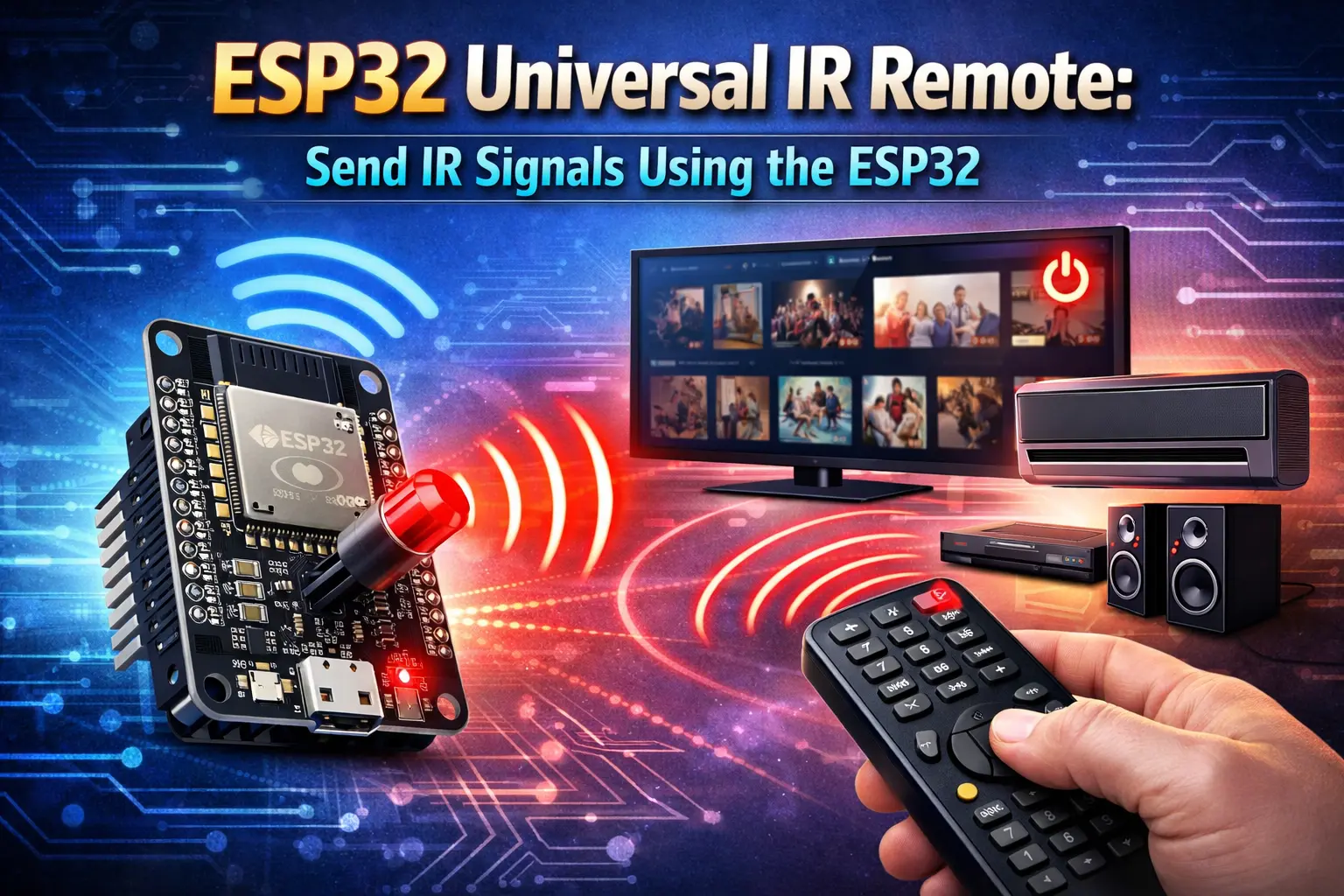
Want to control your TV, fan, or other IR-controlled devices using the ESP32? Not a problem with a few simple components! In this guide, I’ll show you how to build and program an ESP32 Universal IR Remote using an IR receiver and an IR LED.
Here’s what you need to build a universal infrared remote:
We will use the receiver module for capturing the infrared signal emitted by the remote we want to emulate. You can also just use the IR LED without the receiver if you know the signals you need to send.
If you don’t have an IR LED at hand at the moment, you can also strip one from an old remote that you don’t need anymore.
Top 6
ESP32 eBooks
From Zero to Professional

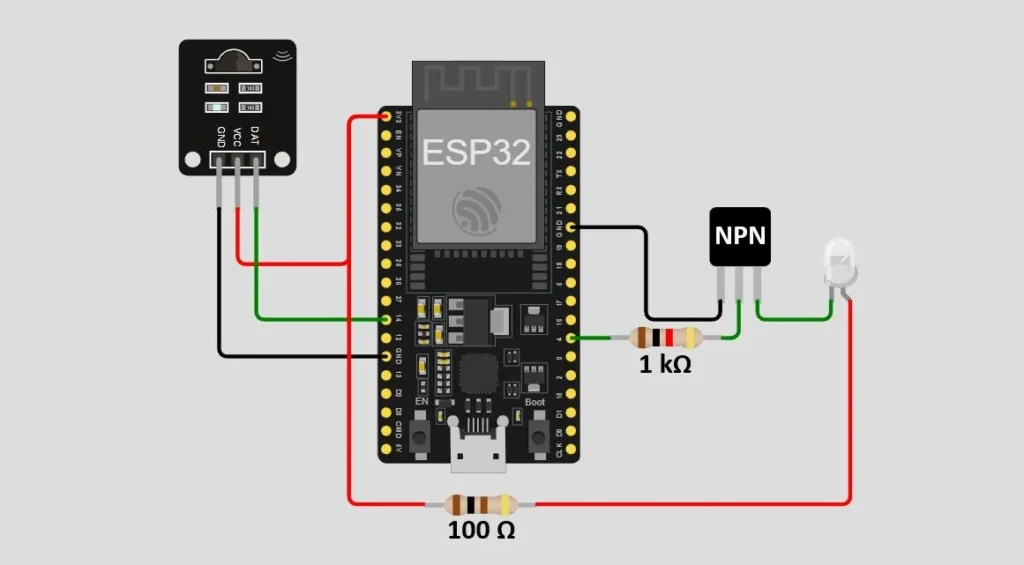
| IR Receiver Pin | ESP32 Pin |
| GND (G) | GND |
| VCC (R) | 3V3 (3.3V) |
| DAT (Y) | Any GPIO pin (e.g., GPIO 14) |
| NPN Transistor | IR LED pin | ESP32 Pin |
| Emitter | – | GND |
| Base | – | Any GPIO via 1kΩ Resistor (e.g., GPIO 4) |
| Collector | Cathode (-) | – |
| – | Anode (+) | 3V3 (3.3V) via 100Ω Resistor |
The ESP32’s GPIO pins can only supply a small amount of current (typically up to 12mA safely). However, an IR LED often needs 20-50mA to emit a strong signal that can reach your TV, fan, or other devices. Hence, we use the transistor as a “switch” and connect the LED to the 3.3V, which can supply more current.
I recommend having multiple resistors at hand, as the resistor you need may vary depending on your IR LED’s specifications. If the range of your universal remote is too low, consider using a resistor with a smaller resistance.
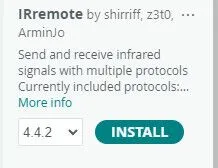
In order to make use of our infrared components, we need the IRremote library by Armin Joachimsmeyer. It allows us to send and receive infrared signals.
Install the library in the Arduino IDE or PlatformIO to keep going.
Before we can start sending IR signals to control devices, like TVs or fans, we need to know what to send and which protocol to use.
Use the following sketch to read and decode IR signals sent by an IR remote.
Some devices, like TVs, use specific protocols. For instance, a very popular protocol is NEC (developed by the Nippon Electric Company). In case the protocol can be identified and is known, the sketch will print a line of code with a specific send function that you can use to send the same signal later on.
Sometimes, though, the protocols used by some devices are unknown and don’t have any specific functions that you can use directly. Instead, the sketch will print the raw data of the signal, which you can also send later on. However, this method can be unreliable and may not work for some devices.
#include <IRremote.h>

#define IR_RECEIVE_PIN 14

void setup() {
  Serial.begin(115200);
  IrReceiver.begin(IR_RECEIVE_PIN, ENABLE_LED_FEEDBACK);
  Serial.println("Ready to receive IR signals...");
}

void loop() {
  if (IrReceiver.decode()) {
    Serial.println();
    if (IrReceiver.decodedIRData.protocol != UNKNOWN) {
      IrReceiver.printIRResultShort(&Serial);  // Short summary
      IrReceiver.printIRSendUsage(&Serial);    // Shows how to send it back
    } else {
      // Raw data fallback
      Serial.println("Raw data for unknown protocol:");
      Serial.print("uint16_t rawData[] = { ");
      for (uint16_t i = 1; i < IrReceiver.decodedIRData.rawDataPtr->rawlen; i++) {
        Serial.print(IrReceiver.decodedIRData.rawDataPtr->rawbuf[i] * MICROS_PER_TICK);
        if (i < IrReceiver.decodedIRData.rawDataPtr->rawlen - 1) Serial.print(", ");
      }
      Serial.println(" };\n");
    }
    IrReceiver.resume();
  }
}
Top 6
Arduino eBooks
From Zero to Professional
Upload the sketch to your ESP32 and point the remote at the receiver while shortly pressing a button.
If the device uses a known protocol, the output on the serial monitor looks like this:

I can now use the given line of code to send the same signal using the ESP32 and IR LED.
IrSender.sendSamsung(0x7, 0x7, <numberOfRepeats>);If the protocol is unknown, the output should look like this instead:

With the int array, I can also send the raw data using the IR LED.
uint16_t rawData[] = { 1350, 350, 1350, 400, 450, 1250, 1300, 400, 1300, ... };If the sketch from above provided you with a line of code to send a signal of a known protocol, you can send it with the following sketch.
In my case, I want to send a command to increase the volume of my Samsung TV with the following line of code:
IrSender.sendSamsung(0x7, 0x7, <numberOfRepeats>);#include <IRremote.h>
#define IR_SEND_PIN 4
void setup() {
Serial.begin(115200);
IrSender.begin(IR_SEND_PIN);
}
void loop() {
Serial.println("Sending IR signal...");
IrSender.sendSamsung(0x7, 0x7, 1); // send only once
delay(10000); // wait 10 seconds, then send again
}After uploading the sketch, I can now increase the volume of my TV by simply pointing the IR LED at it.
If you didn’t get a line of code to send a signal with a known protocol, but an integer array, you can use the following sketch to send the raw data contained in that array.
#include <IRremote.h>

#define IR_SEND_PIN 4

uint16_t rawData[] = { 9000, 4500, 560, 1680, ... }; // replace with actual captured raw values

void setup() {
  Serial.begin(115200);
  IrSender.begin(IR_SEND_PIN);
}

void loop() {
  Serial.println("Sending fan power command...");
  IrSender.sendRaw(rawData, sizeof(rawData) / sizeof(rawData[0]), 38); // 38 kHz typical
  delay(10000); // wait 10 seconds, then send again
}
Keep in mind, though, that this method can be unreliable and might not work for each and every device. If you are having trouble getting it to work, try sending each command twice in a specific timeframe (e.g., 40µs).
If the device you want to control doesn’t respond, check the wiring of the circuit, try using a resistor with a smaller resistance, and try pointing the LED directly at the device.
You can also try to send a raw signal twice in a certain time interval (e.g., 40µs), as some devices expect it twice.
Additionally, make sure to use the specific functions of a known protocol (e.g., sendSamsung()). That’s usually more reliable than sending raw data.
You now have everything you need to control nearly any IR device using the ESP32. With the IRremote library, you can send commands using common protocols like NEC, Sony, and Samsung, or even send raw signals from remotes that use unknown protocols.
Next, check out how to control the ESP32 using an IR remote.
What device do you want to control? Drop a comment below!
Thanks for reading, happy making!
Links marked with an asterisk (*) are affiliate links, which means we may receive a commission for purchases made through these links at no extra cost to you. Read more on our Affiliate Disclosure Page.
🚀 Discover the world of electronics and innovation!
✨ Create, program, and experiment with all your creative ideas with ease.
🔥 Don't wait! Browse SpotPear products now and start your amazing project!




![ESP32 IR Receiver: How To Detect IR Remote Signals [Arduino IDE]](https://ebokify.com/wp-content/uploads/2026/01/ESP32-IR-Receiver-How-To-Detect-IR-Remote-Signals-Arduino-IDE-1-768x512.webp "ESP32 IR Receiver: How To Detect IR Remote Signals [Arduino IDE] 11")