

Wait! Don’t Go Yet! 👋
Become a Member Today and Unlock Access to All eBooks! 😍
Thousands of eBooks at your fingertips. Read, learn, and grow anytime, anywhere ✨
Become a Member Today and Unlock Access to All eBooks! 😍
Thousands of eBooks at your fingertips. Read, learn, and grow anytime, anywhere ✨
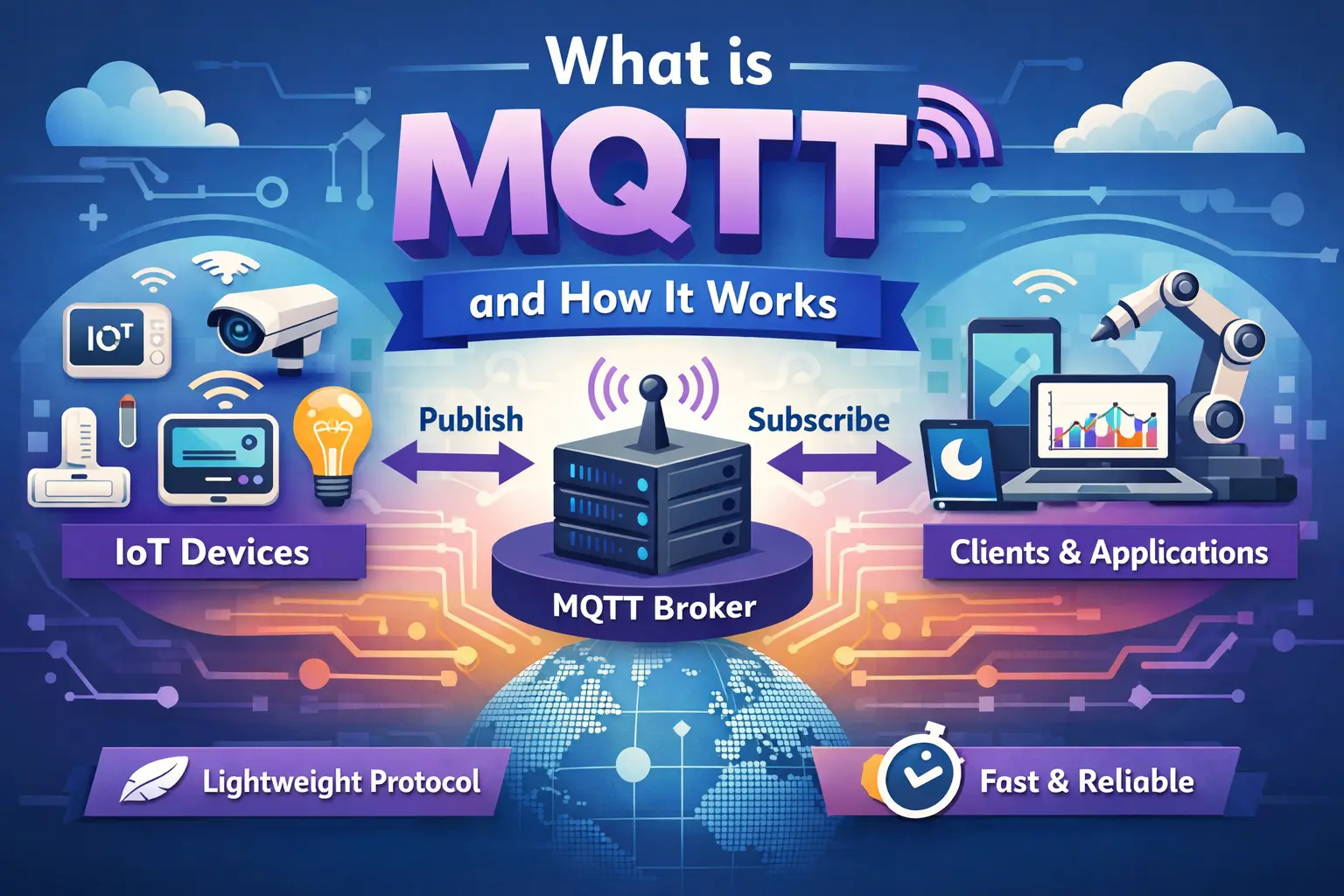
This article is an introduction to the MQTT protocol. MQTT stands for Message Queuing Telemetry Transport, a simple messaging protocol suitable for communication between IoT devices.
MQTT stands for Message Queuing Telemetry Transport. MQTT is a simple messaging protocol, designed for constrained devices with low bandwidth. So, it’s the perfect solution to exchange data between multiple IoT devices.
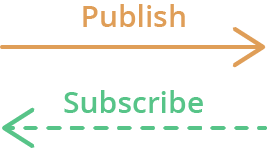
MQTT communication works as a publish and subscribe system. Devices publish messages on a specific topic. All devices that are subscribed to that topic receive the message.
Its main applications include sending messages to control outputs, reading and publishing data from sensor nodes, and much more.
In MQTT, there are a few basic concepts that you need to understand:
The first concept is the publish and subscribe system. In a publish and subscribe system, a device can publish a message on a topic, or it can subscribe to a particular topic to receive messages

Messages are the information that you want to exchange between your devices. It can be a message like a command or data like sensor readings, for example.
Another important concept is the topics. Topics are the way you register interest for incoming messages or how you specify where you want to publish the message.
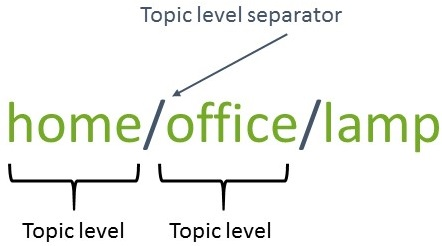
Topics are represented with strings separated by a forward slash. Each forward slash indicates a topic level. Here’s an example of how you would create a topic for a lamp in your home office:
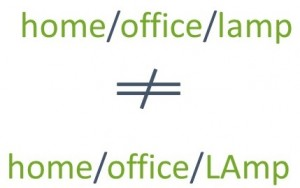
Note: topics are case-sensitive, which makes these two topics different:
If you would like to turn on a lamp in your home office using MQTT, you can imagine the following scenario:
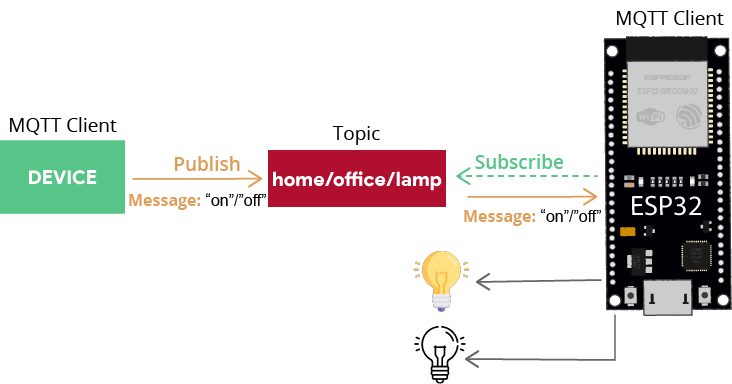
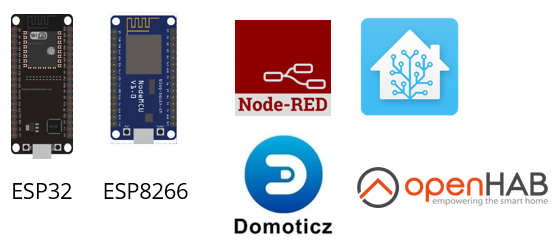
The device that is publishing the messages can be an ESP32, an ESP8266, or a Home Automation controller platform with MQTT support like Node-RED, Home Assistant, Domoticz, or OpenHAB, for example.
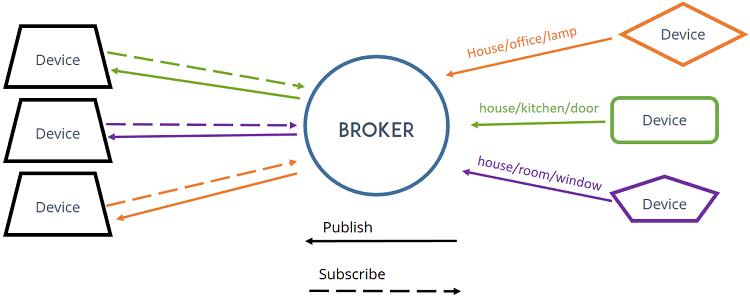
Finally, another important concept is the broker.
The MQTT broker is responsible for receiving all messages, filtering the messages, deciding who is interested in them, and then publishing the message to all subscribed clients.
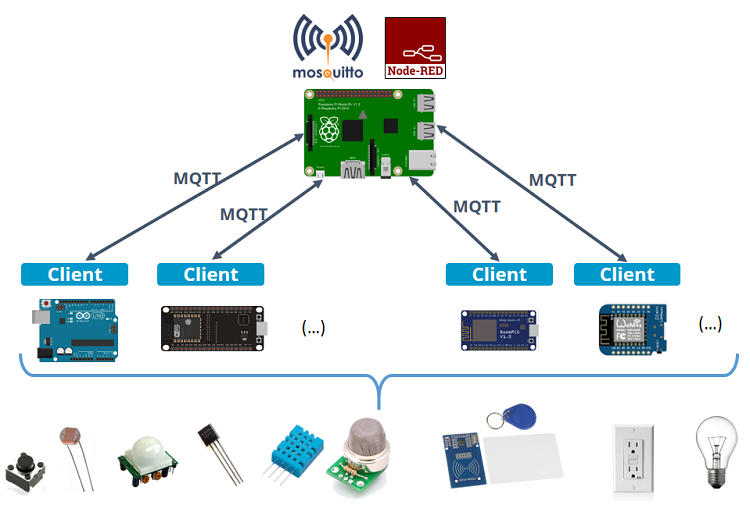
There are several brokers you can use. In home automation projects, we use the Mosquitto Broker installed on a Raspberry Pi. You can also install the Mosquitto broker on your PC (which is not as convenient as using a Raspberry Pi board, because you have to keep your computer running all the time to keep the MQTT connection between your devices).

Having the Mosquitto broker installed on a Raspberry Pi on your local network allows you to exchange data between your IoT devices that are also connected to that same network.
To install Mosquitto broker on the Raspberry Pi, follow our tutorial:
You can also run the Mosquitto MQTT broker in the cloud. Running the MQTT Mosquitto Broker in the cloud allows you to connect several IoT devices from anywhere using different networks as long as they have an Internet connection. Check the tutorial below:
MQTT is great for home automation and Internet of Things projects.
The following image shows an example of a Node-RED UI that allows you to control one output and displays temperature and humidity readings:
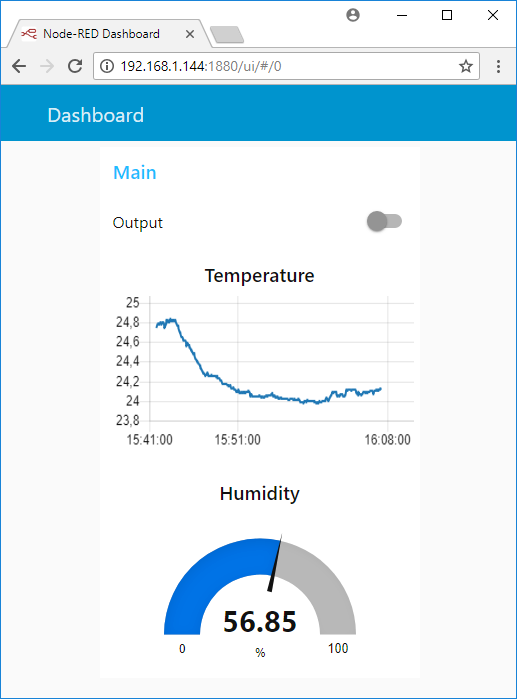
Here’s a quick summary of the steps you should follow to build something as described previously:
MQTT is a communication protocol based on a publish and subscribe system. Devices can subscribe to a topic or publish data on a topic. Devices receive messages that are published on topics they are subscribed to.
We hope you’ve found this tutorial useful and you now understand what MQTT is and how it works.
Thanks for reading.
🚀 Discover the world of electronics and innovation!
✨ Create, program, and experiment with all your creative ideas with ease.
🔥 Don't wait! Browse SpotPear products now and start your amazing project!