

Wait! Don’t Go Yet! 👋
Become a Member Today and Unlock Access to All eBooks! 😍
Thousands of eBooks at your fingertips. Read, learn, and grow anytime, anywhere ✨
Become a Member Today and Unlock Access to All eBooks! 😍
Thousands of eBooks at your fingertips. Read, learn, and grow anytime, anywhere ✨
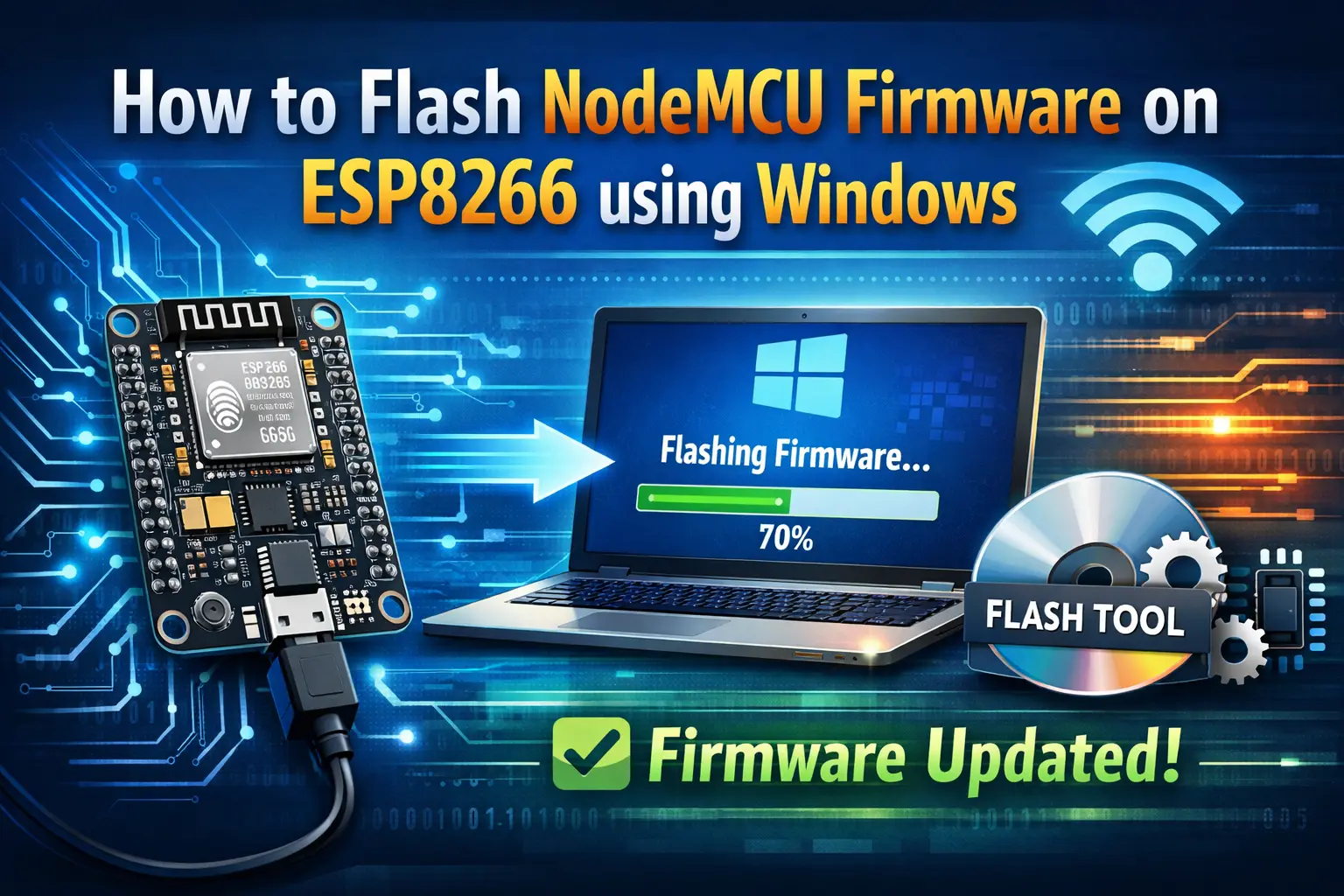
The ESP8266 modules may be programmed using LUA scripts using the NodeMCU firmware. You'll also find that it's quite similar to the way you program your Arduino. You can set up a WiFi connection, control the ESP8266 GPIOs, turn your ESP8266 into a web server, and do a lot more with only a few lines of code. now learn Flash NodeMCU Firmware on ESP8266 using Windows
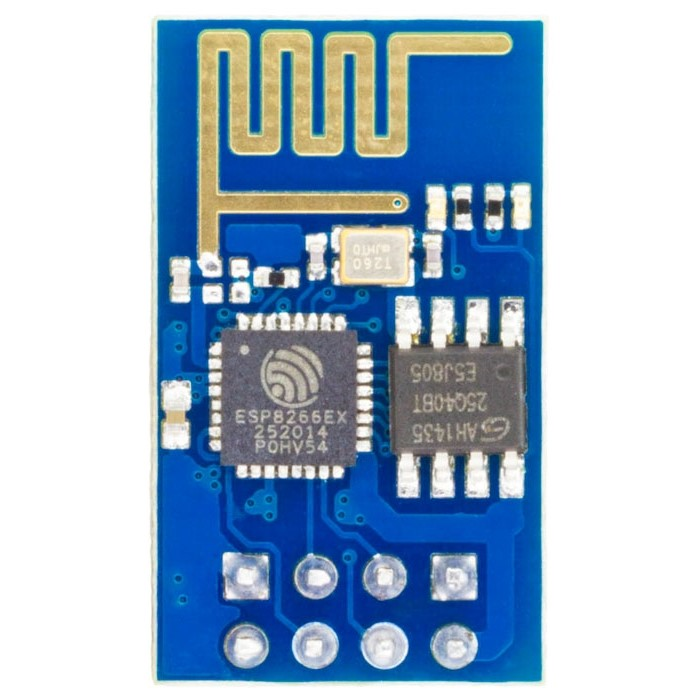
You can compare the ESP-01 board prices at multiple retailers by clicking here.
Check out this page to get the best price on an FTDI programmer.
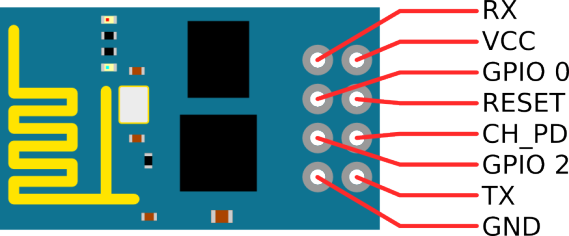
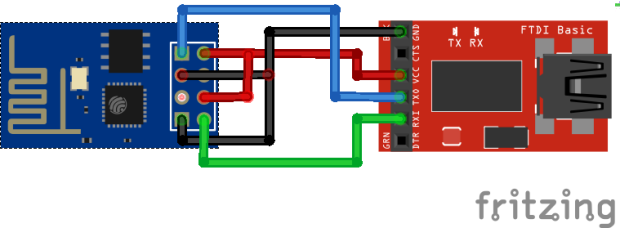
After you've finished wiring your circuit, you'll need to download the NodeMCU flasher. You may download the .exe file using one of the following links:
You can find all of the information about the NodeMCU flasher by clicking here.
When you launch the flasher that you just downloaded, a window should emerge (as shown in the following picture).

You should be able to start the flashing process as soon as you click the “Flash” button (you may need to adjust some of the settings on the Advanced page). It ought to appear as a green circle with a check icon after finishing this process.
If you like ESP8266, you may also like:
We hope you find this tutorial useful. Thanks for reading
🚀 Discover the world of electronics and innovation!
✨ Create, program, and experiment with all your creative ideas with ease.
🔥 Don't wait! Browse SpotPear products now and start your amazing project!