Book Categories:

Wait, don't go!
Become a Member Today and Unlock Access to All eBooks!
Thousands of eBooks at your fingertips. Read, learn, and grow anytime, anywhere.
![[Resolve] Failed to connect to ESP32: Timed out while waiting for packet header](https://ebokify.com/wp-content/uploads/2023/06/Resolve-Failed-to-connect-to-ESP32-Timed-out-while-waiting-for-packet-header-1.webp "[Resolve] Failed to connect to ESP32: Timed out while waiting for packet header 1")
Learn how to resolve the Fatal Error that Occurred: “Failed to connect to ESP32: Timed out waiting for packet header” error while trying to upload new code to your ESP32 board once and for all.
When uploading new code, some ESP32 development boards may not automatically enter flashing or uploading mode.
This means that the Arduino IDE fails to connect to your board when you try to upload a new sketch to your ESP32, and you see the following error message:
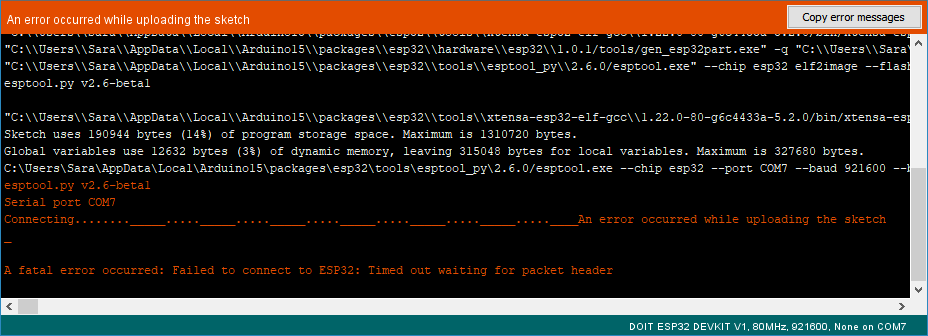
One way to fix this is to simultaneously upload a new sketch and hold down the “BOOT/FLASH” button on your ESP32 board. However, worrying about this each time you upload new code may be tiresome, particularly when you're testing and debugging your code. There is a way to resolve this issue once and for all: no longer do you need to hold down the “BOOT/FLASH” button.
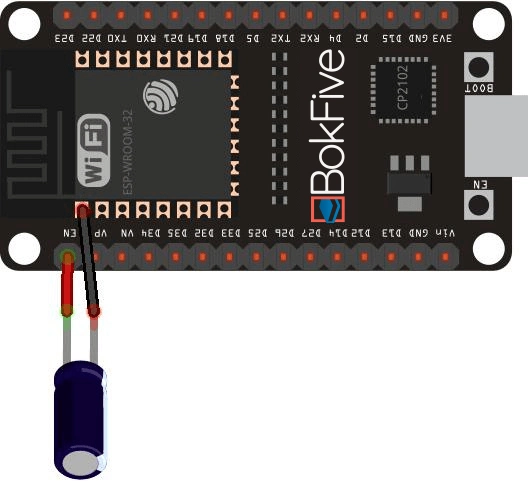
Connect a 10 uF electrolytic capacitor between the EN pin and GND to put your ESP32 board into flashing or uploading mode automatically.
To make sure it works for your ESP32 development board, you may want to test this setup on a breadboard first.

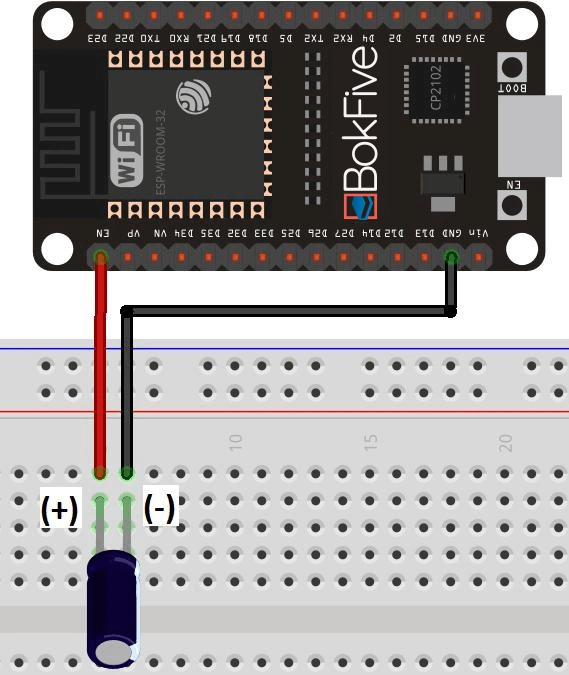
Note: Electrolytic capacitors have polarity. The white/grey stripe indicates the negative lead.
If it works, solder the 10 uF electrolytic capacitor on the circuit board. Because the EN and GND pins of the ESP32 chip are so far apart, you may simply connect the capacitor between the EN and GND, as shown in the schematic diagram below:
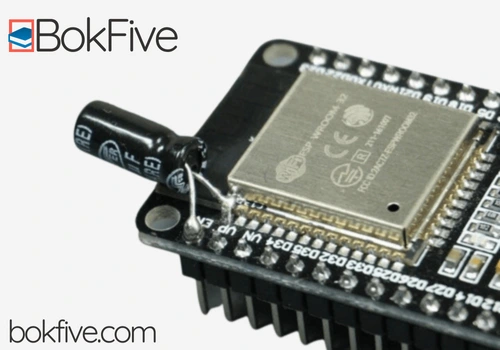
The following image shows how my ESP32 looks after soldering the capacitor. It doesn't occupy much space, and thankfully, you won't have any more trouble connecting to the ESP32 when you upload new code.
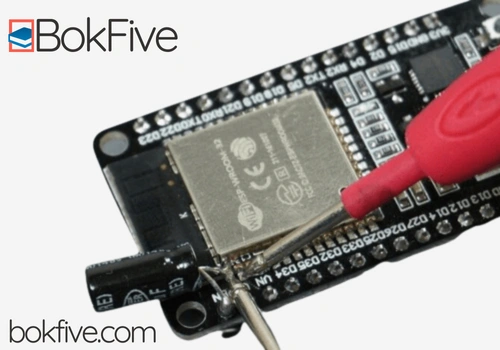
Check the connections with a multimeter in continuity mode to make sure you haven't inadvertently soldered something to the next pin before trying to upload a new code.
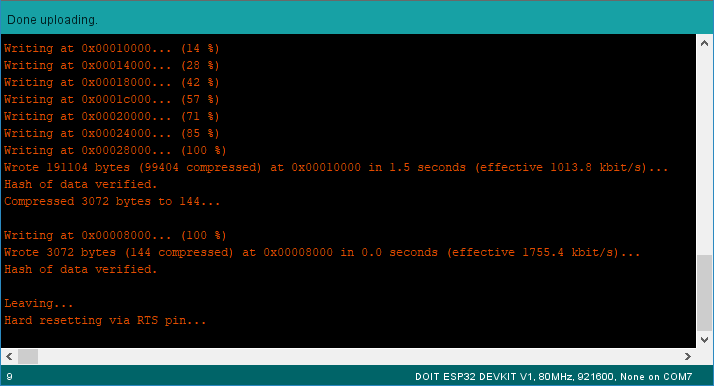
When uploading new code, you won't need to press the BOOT button if everything is correctly soldered. You will also not get the Fatal Error: “Failed to connect to ESP32: Timed out waiting for packet header” message.
We hope you’ve found this trick useful and that it solved your problem. Thanks to Ahmed Samir for the suggestion.
If you like ESP32, you may also like:
We hope you find this tutorial useful. Thanks for reading.




![ESP32 IR Receiver: How To Detect IR Remote Signals [Arduino IDE]](https://ebokify.com/wp-content/uploads/2026/01/ESP32-IR-Receiver-How-To-Detect-IR-Remote-Signals-Arduino-IDE-1-768x512.webp "ESP32 IR Receiver: How To Detect IR Remote Signals [Arduino IDE] 14")